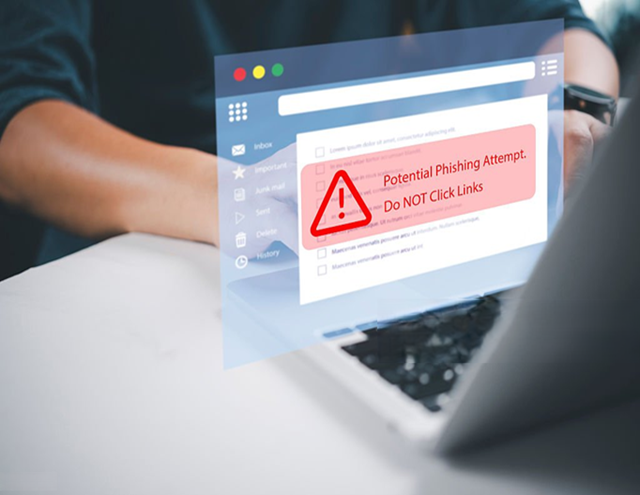
Phishing remains the #1 cyber threat in 2026, with billions of malicious emails sent daily and attacks reaching record levels. Recent data shows over 1 million phishing incidents per quarter in late 2025, projected to climb further with AI-driven personalization pushing click rates as high as 54% in some studies. Attackers now use generative AI to craft flawless, hyper-personalized messages with perfect grammar, realistic branding, and no obvious typos — making traditional red flags like poor spelling obsolete.
The good news? You can still spot and stop most phishing attempts by adopting pro-level habits: pause, verify, and protect. This guide shares advanced, practical strategies tailored to today's AI-enhanced threats, so you can defend your inbox like an expert.
Why Phishing Is Harder to Spot in 2026 — And Why You Still Can Win
- AI evolution — Tools generate error-free, context-aware emails mimicking your boss, bank, or colleagues.
- Multi-channel attacks — Phishing spills into SMS (smishing), voice (vishing), QR codes (quishing), and even deepfake calls.
- High success — Credential compromise via phishing kits dominates, with massive daily volumes and sophisticated evasion.
But phishing still relies on human action — clicking links, entering credentials, or sharing codes. Break that chain with these pro tactics.
Core Rules: The Pro Mindset to Avoid Phishing
- Pause Before You Act Urgency is the #1 weapon. Any email demanding immediate action ("Account suspended in 24 hours," "Verify now or lose access") is suspicious — even if it looks perfect. Slow down. Breathe. Verify independently.
- Never Click Links or Attachments in Unexpected Emails Hover (or long-press on mobile) to reveal the real URL — don't trust displayed text. Type the official site manually or use bookmarks. Attachments? Only open if you expected them and verified the sender separately.
- Verify Sender and Authentication — Don't Trust Display Names Check the actual email address (not just "John Doe <ceo@yourcompany.com>"). Look for subtle mismatches (e.g., yourc0mpany.com). In Gmail/Outlook: View original message → check "Authentication-Results" for SPF/DKIM/DMARC pass. Fail or "none" = high risk.
- Use Independent Verification Channels Got a "password reset" or "urgent payment" request? Hang up (if call) or ignore the email. Contact the company via their official website/app/phone number you already know. Never use provided contacts.
- Treat MFA Prompts with Extreme Caution Fake MFA/2FA reset requests are surging. If you get an unexpected code prompt or "re-verify" link, it's likely phishing. Only approve MFA on devices/apps you initiated.
Advanced Detection Tips for AI-Powered Phishing (2026 Edition)
AI removes easy tells, so focus on behavioral and contextual clues:
- Uncanny perfection — Flawless grammar + overly polished tone can signal AI. Real colleagues often use casual language, shortcuts, or typos.
- Hyper-personalization without source — References to recent events/projects you didn't share publicly? Attacker scraped data — suspicious.
- Mismatched context/timing — Email from "IT" at odd hours, or "CEO" asking for gift cards/crypto? Classic BEC red flag.
- QR code tricks (quishing) — Don't scan unexpected QR codes in emails/printouts. Use camera apps that preview URLs first.
- Emotional manipulation — Fear, greed, curiosity — "Claim your prize," "Urgent security alert" — pause and question motive.
- Check for subtle oddities — Inconsistent branding (slightly off logos/colors), weird formatting, or generic greetings despite personalization elsewhere.
Pro tool: Forward suspicious emails to services like reportphishing@apwg.org or use built-in "Report Phishing" buttons to help improve global filters.
Essential Tech Defenses to Layer On
- Enable strict MFA everywhere — App-based (Google Authenticator, Authy) or hardware keys (YubiKey) over SMS. Phishing-resistant passkeys where available.
- Use a password manager — Auto-fill only on real sites; rejects fake domains.
- Install email security extensions/tools — uBlock Origin, browser password managers, or advanced filters (Microsoft Defender, Proton Mail protections).
- Keep software updated — Auto-updates patch exploits used in phishing-delivered malware.
- Compartmentalize with temporary emails — Never give your primary email to random sites. Use disposables for signups/trials to limit breach/phishing exposure. Top recommendation: https://temp-email.me — fast, anonymous, reliable for quick verifications without risking your main inbox.
- AI-powered email filters — Providers like Gmail/Outlook use ML to catch sophisticated attempts; enable strict modes.
What to Do If You Suspect or Fell for Phishing
- Clicked a link? Disconnect from internet, run antivirus scan, change passwords (from a clean device).
- Entered credentials? Reset them immediately + enable MFA. Monitor accounts for unusual activity.
- Shared code/info? Assume compromise — change everything tied to that email.
- Report it — To your provider, HaveIBeenPwned (for breach checks), or authorities (e.g., FTC, local cybercrime units).
Your Pro-Level Quick Checklist
- Pause on urgency/fear.
- Inspect sender address + authentication.
- Hover/type URLs manually — no clicks on unknowns.
- Verify via official channels only.
- Use MFA + password manager religiously.
- Grab temp emails from https://temp-email.me for anything non-essential.
- Report suspicious messages — help the ecosystem.
In 2026, phishing is smarter, but you're smarter too. Awareness + verification + compartmentalization beats even AI-powered attacks most of the time.
Start right now: Bookmark https://temp-email.me and use a disposable address for your next random signup. Then enable strict MFA on your primary email. These two moves slash your risk dramatically.
Stay sharp — your inbox is your digital front door. Lock it like a pro.