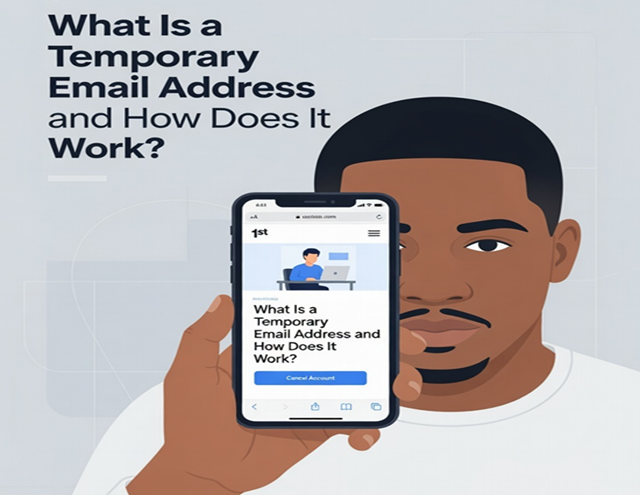
In 2026, with data breaches, aggressive AI-powered spam, and constant tracking online, protecting your primary email has become essential. Enter the temporary email address — also called disposable email, temp mail, throwaway email, or burner email.
This simple privacy tool lets you receive emails without ever exposing your real address. It's become a must-have for anyone who signs up for random services, tests apps, enters giveaways, or wants to avoid spam forever cluttering their main inbox.
This in-depth guide explains exactly what a temporary email is, how it actually works behind the scenes, why it's so powerful in today's digital landscape, and how to use it effectively.
What Exactly Is a Temporary Email Address?
A temporary email address is a short-lived, disposable email mailbox generated instantly for one-time or very short-term use. Unlike your personal Gmail, Outlook, or Yahoo account, it has no permanent connection to your identity.
Key characteristics include:
- Created in seconds — no signup, password, or personal info required
- Exists only for a limited time (from 10 minutes to a few days, depending on the service)
- Self-destructs automatically — all messages and the address itself vanish when the timer expires
- Designed purely for receiving emails (most services are receive-only)
- Completely anonymous — no link to your name, phone, or real email
These addresses act like digital burner phones: useful for a single purpose, then discarded without regret.
Why People Use Temporary Emails in 2026
The internet in 2026 is more invasive than ever. Companies collect emails aggressively, data brokers build profiles, and breaches expose hundreds of millions of addresses yearly.
Common smart uses for temp emails:
- Signing up for free trials, newsletters, or webinars
- Registering on forums, gaming sites, or sketchy download pages
- Entering online contests and giveaways
- Testing apps or services before committing your real email
- Avoiding spam when shopping (especially on unfamiliar sites)
- Creating throwaway accounts on social media or dating apps
- Protecting against phishing and identity theft attempts
Using your real email for these activities is like giving strangers your home address — unnecessary and risky.
How Does a Temporary Email Actually Work? (Technical Breakdown)
Behind the simple web interface lies clever email infrastructure. Here's the step-by-step technical flow most disposable email services use:
- Instant Address Generation When you visit a temp mail site, their server instantly creates a random (or customizable) email address using one of their owned domains (e.g., @example-temp.com, @randommail.net). These domains rotate frequently to avoid blocks.
- Virtual Mailbox Creation The system spins up a temporary virtual inbox tied to that exact address. This inbox lives only in the service's database or memory — no permanent storage on traditional email servers.
- Email Reception When someone (or a website) sends mail to your temp address:
- The message hits the service's MX (mail exchange) records.
- Their servers accept and store the email briefly in the virtual mailbox.
- You view it in real-time via the website (no IMAP/POP needed).
- Public or Session-Based Access Most free services make the inbox public during its lifetime — anyone who knows the address can view it. Premium or advanced services may tie it to your browser session or add light password protection.
- Automatic Self-Destruction After the set period (10 minutes, 1 hour, 24 hours, etc.):
- The inbox and all messages are permanently deleted from the server.
- The address becomes invalid — future emails bounce.
- No trace remains (zero logs policy on reputable services).
This entire process requires almost no resources compared to running a full email provider, which is why so many services offer it for free.
Important note: Pure temp mail services differ from email alias/forwarding services (like IronVest, Burner Mail, or Proton aliases). Aliases forward to your real inbox and can last indefinitely; true disposables self-destruct completely.
Step-by-Step: How to Use a Temporary Email (Practical Guide)
Using one takes under 30 seconds:
- Visit a trusted temporary email provider.
- An address is generated automatically (or customize if available).
- Copy the full address (e.g., random123@temp-domain.com).
- Paste it into any signup form that requires email verification.
- Return to the temp mail page and wait for the incoming message (refresh if needed).
- Read the email, copy any verification code/link, and complete your task.
- Close the tab — the inbox will expire automatically, and spam stops forever.
Pro tips for 2026:
- Screenshot important one-time codes before the timer runs out.
- Use different services for different purposes to avoid cross-contamination.
- If a site blocks obvious temp domains, try a provider with fresh/rotating domains.
Top Recommended Temporary Email Services in 2026
Here are reliable, popular options (always test a few to see what fits your needs):
- https://temp-email.me — Top recommendation. Fast, clean interface, multiple fresh domains, reliable delivery, and perfect for everyday random signups. No registration ever needed.
- 10 Minute Mail — Classic ultra-short-term option (extendable timer).
- Temp Mail (various providers like temp-mail.org) — Simple, mobile-friendly, often with captcha protection.
- Guerrilla Mail — Supports attachments and longer sessions.
- Mailinator — Public inboxes great for quick testing.
- YOPmail — Long-running classic with many address variations.
- Other strong contenders: uTempMail, Temp Postal (more secure options), Boomlify (longer retention).
Start with https://temp-email.me — it's consistently ranked among the fastest and most privacy-respecting in current 2026 reviews.
Limitations and Things to Watch Out For
- Receive-only — You usually can't send emails from temp addresses.
- Public inboxes — Anyone with the address can read messages (don't use for sensitive info).
- Short lifespan — Not suitable for long-term accounts or password resets you might need later.
- Blocking by sites — Some platforms detect and reject known temp domains (solutions: rotate services or use premium ones).
- No recovery — Once expired, everything is gone forever.
For important accounts (banking, work, main social media), always use your real email or a dedicated secondary one.
Final Thoughts: Make Temp Emails Your Default in 2026
A temporary email address is one of the easiest, most effective privacy tools available today. It costs nothing, takes seconds, and prevents spam, tracking, and breach damage from reaching your real inbox.
In an era where your email is the skeleton key to your digital life, stop handing it out casually. Make https://temp-email.me (or your favorite) the first step for every non-essential signup.
Your primary inbox will stay clean, focused, and secure — exactly how it should be.
Ready to try it? Open https://temp-email.me in a new tab right now, grab a throwaway address, and experience the difference immediately.
Your privacy upgrade starts with one click.